Step 1: Navigate to the search button

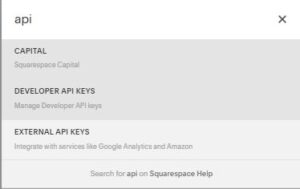
Step 2: Type “api” and click on Developer API Keys
Step 3: Click on Generate Key

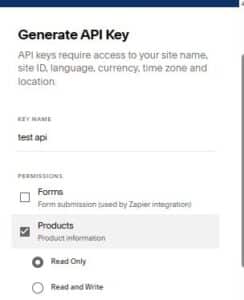
Step 4: Enter a name for your API key, select the “Products” permission, and choose “Read Only”
Step 5: Copy your API key


Step 1: Navigate to the search button
Step 2: Type “api” and click on Developer API Keys
Step 3: Click on Generate Key
Step 4: Enter a name for your API key, select the “Products” permission, and choose “Read Only”
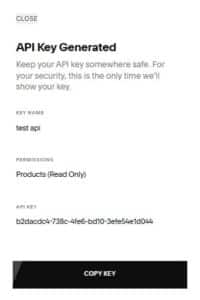
Step 5: Copy your API key