
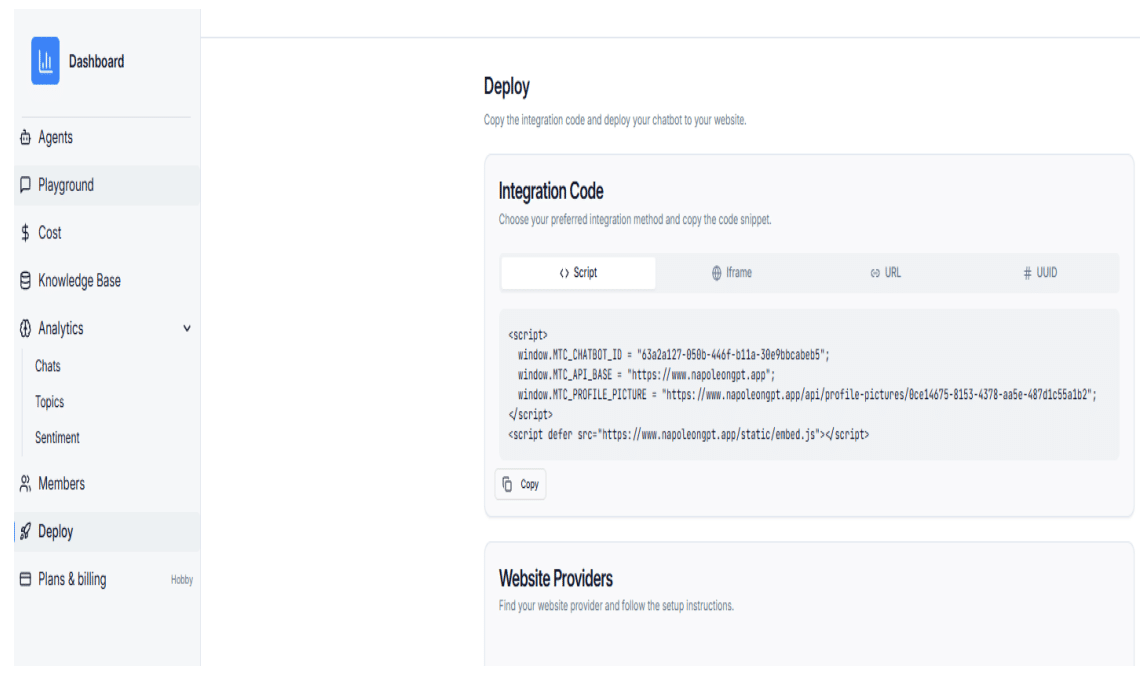
Step 1: Copy the Script from the Deploy Page
Open the Deploy page of your chatbot platform and copy the full script provided in the integration code section.
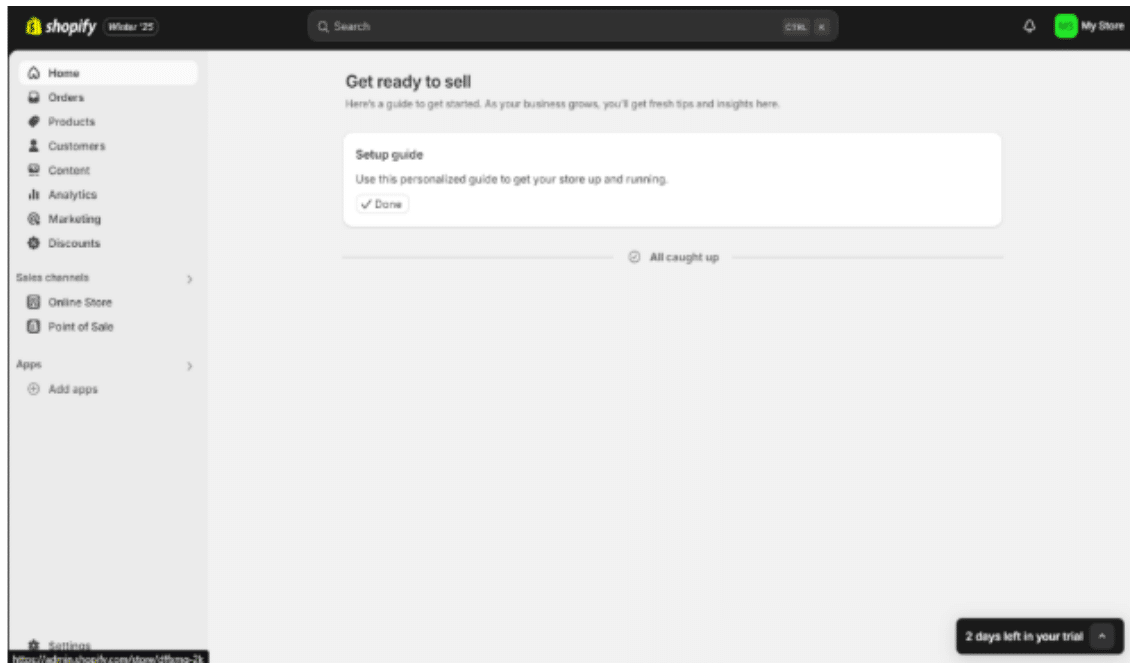
Step 2: Log in to your Shopify Admin Dashboard
Go to the Shopify Admin page and sign in to your account.
Step 3: Access the Theme Code
In the left navigation menu, click Online Store > Themes. Under your current theme, click the three dots and select Edit code.
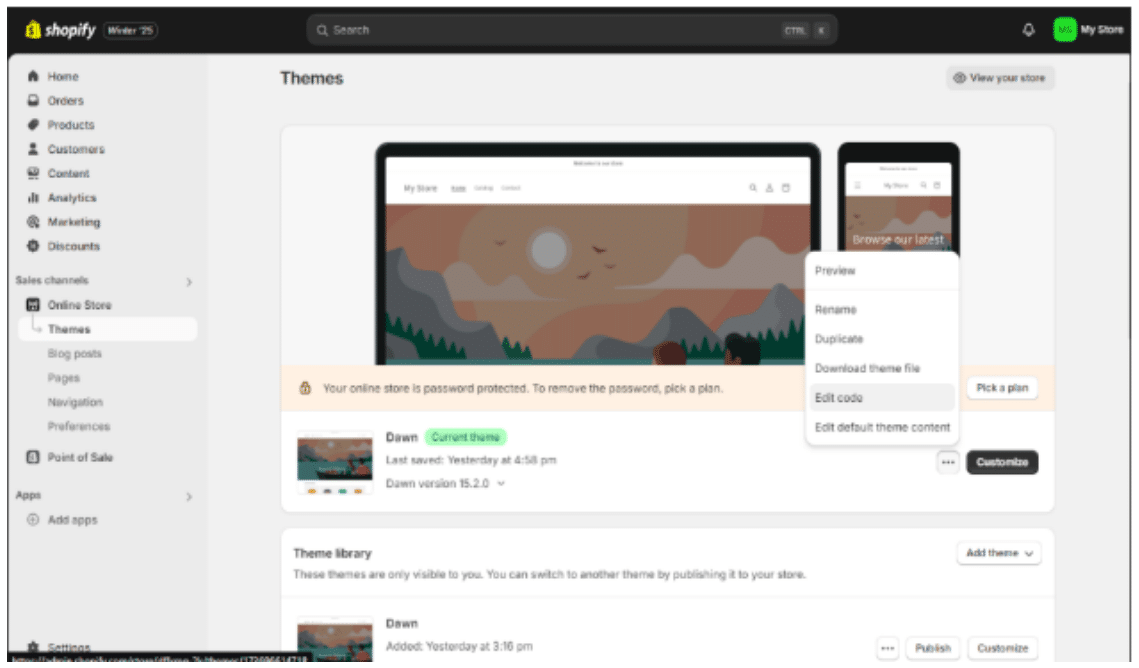
Step 4: Open theme.liquid
Under the Layout folder, click on theme.liquid.
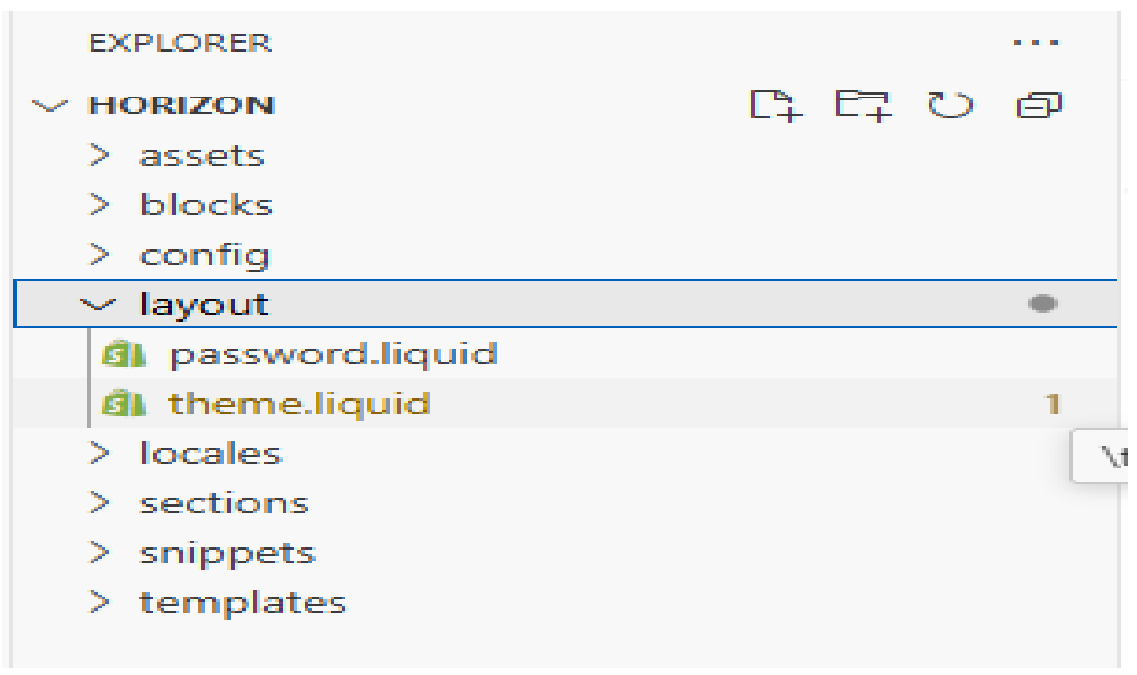
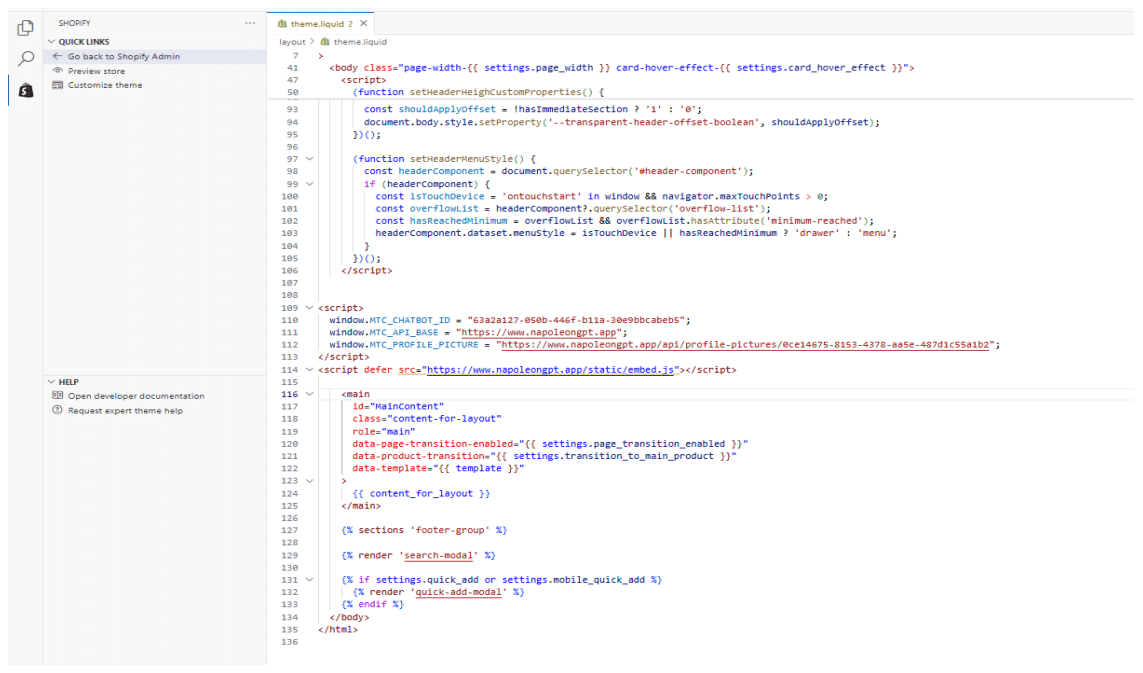
Step 5: Paste the Script Before
Copy and paste the provided script tag directly before the opening <head> tag. Ensure it is not placed inside another script or code snippet.