
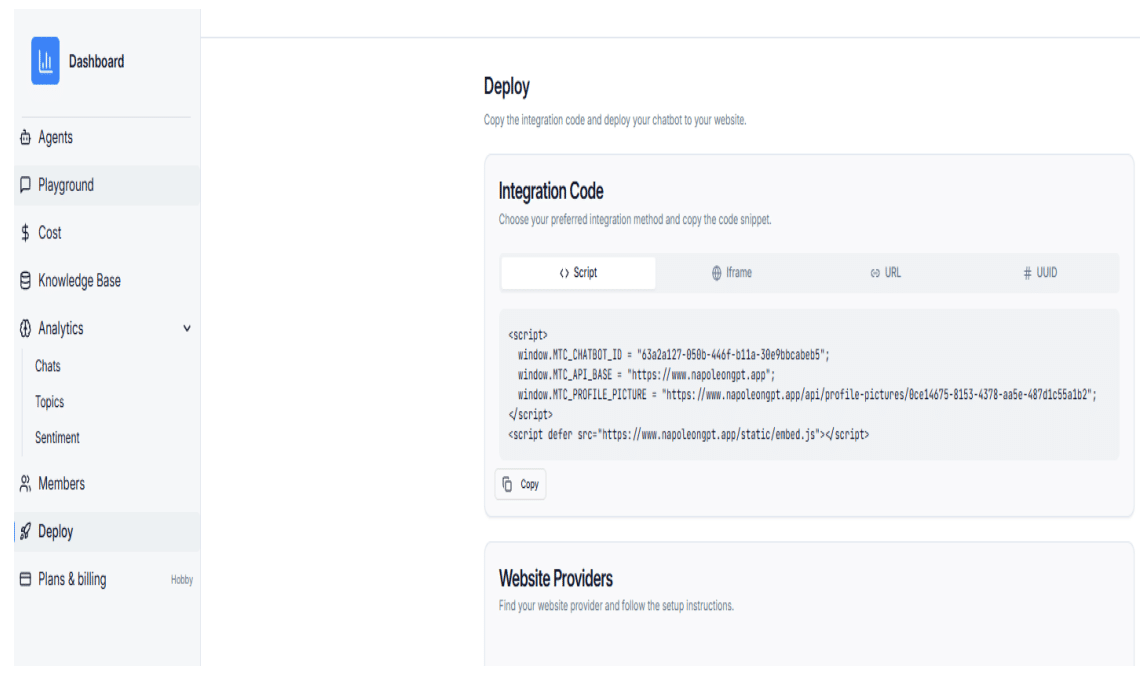
Step 1: Copy the Script from the Deploy Page
Copy the full embed script from the chatbot Deploy page.
Step 2: Log in to Wix Admin
Go to Wix.com and log in to your Wix account.
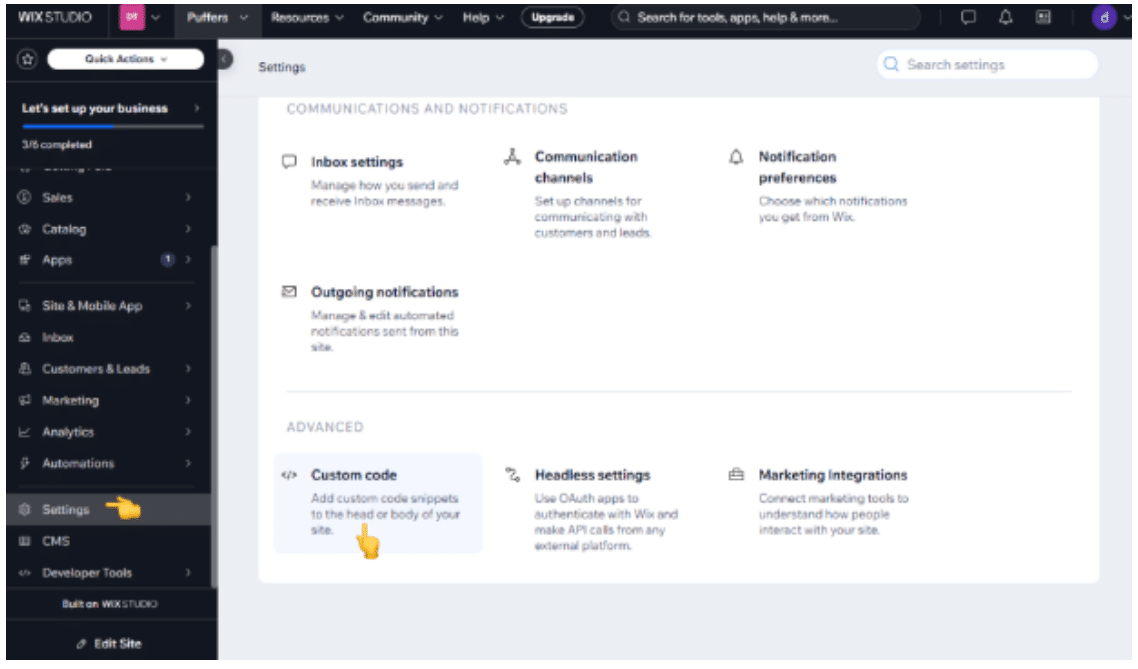
Step 3: Open Custom Code Settings
From your site dashboard, navigate to Settings → Advanced → Custom Code.
Step 4: Add Custom Code
Click Add Custom Code, paste the embed script, and give it a clear name such as “NapoleonGPT Chatbot”.
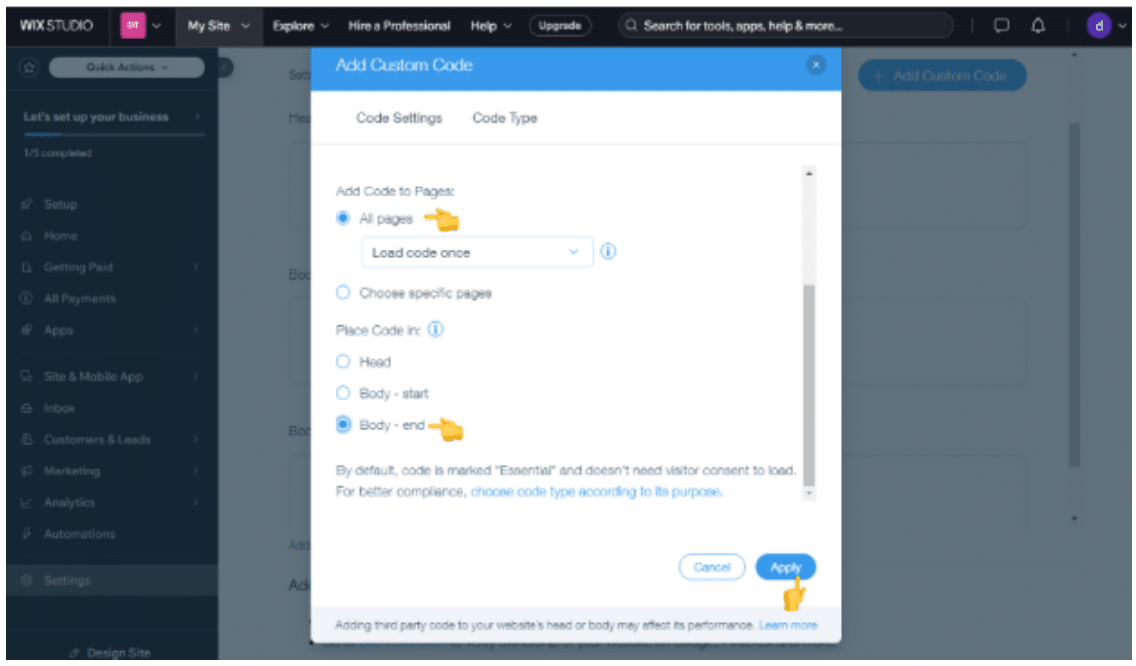
Step 5: Choose Placement Settings
-
Set the code to load on All Pages (or select specific pages if preferred).
-
Choose Body – End as the placement.
Step 6: Apply and Save
Click Apply to save your changes and activate the chatbot.