
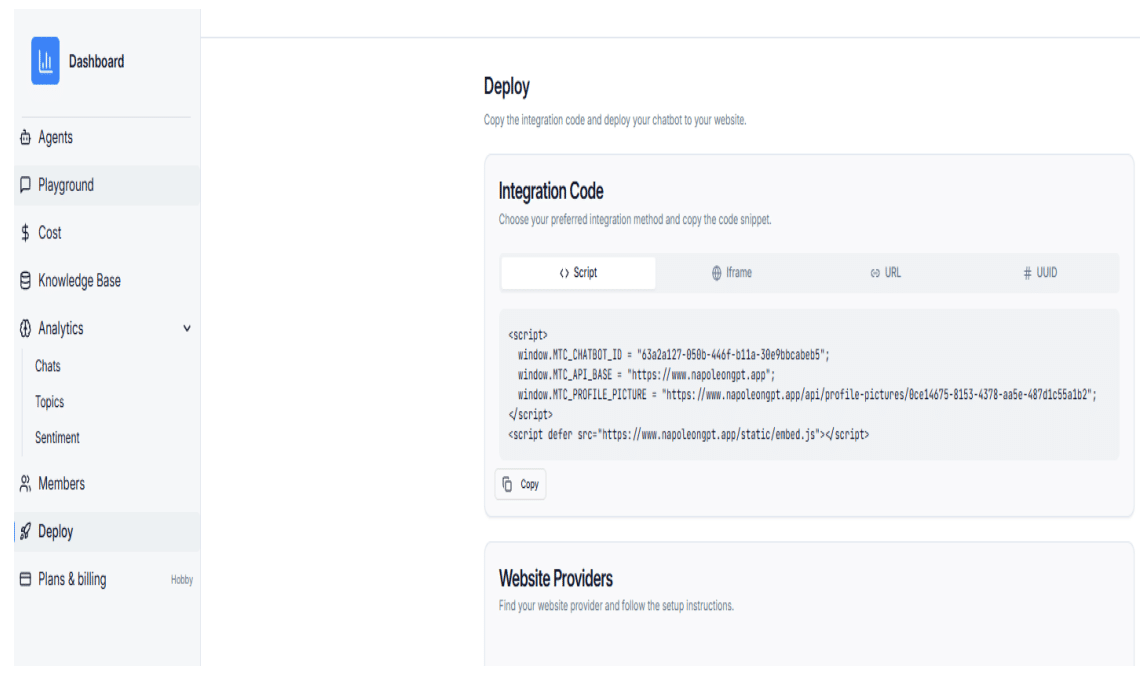
Step 1: Copy the Script from the Deploy Page
Copy the full embed script from the chatbot Deploy page.
Step 2: Log in to Weebly and Open the Site Editor
Log in to your Weebly account and navigate to your Website Dashboard. From the left menu, click Website, then select Edit Site to open the site editor.
Step 3: Add the Embed Code to the Footer
In the site editor, go to Settings > SEO. Locate the Footer Code section and paste the copied chatbot embed code.
Step 4: Publish Your Site
Click Publish to apply the changes and activate the chatbot on your site.