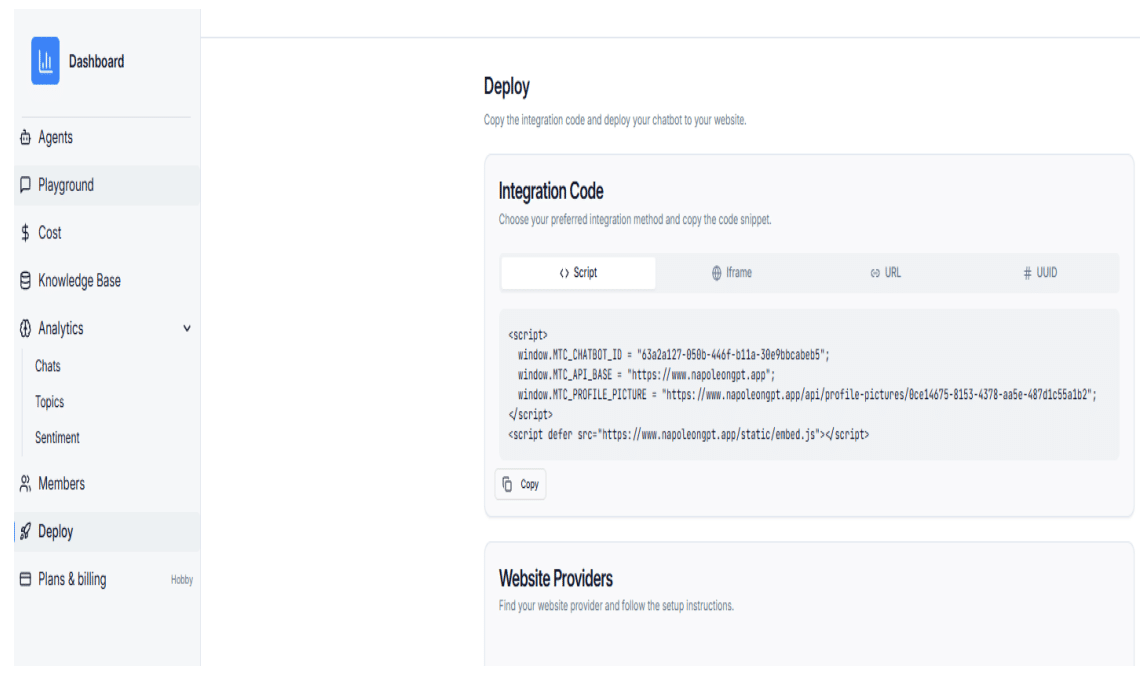
tep 1: Copy the Script from the Deploy Page
Copy the full embed script from the chatbot Deploy page.
Step 2: Log in to Your Blogger Dashboard
Log in to your Blogger account and navigate to the Theme section. Click the drop-down arrow next to the Customize button.
Step 3: Edit HTML
Click the Edit HTML button to open the HTML code of your blog.
Step 4: Paste the Embed Code
Scroll to the bottom of the HTML code and paste the embed script just above the closing </body> tag.
Step 5: Save Changes
Click the Save button to apply the changes and activate the chatbot.