
Step 1: Copy the Script from the Deploy Page
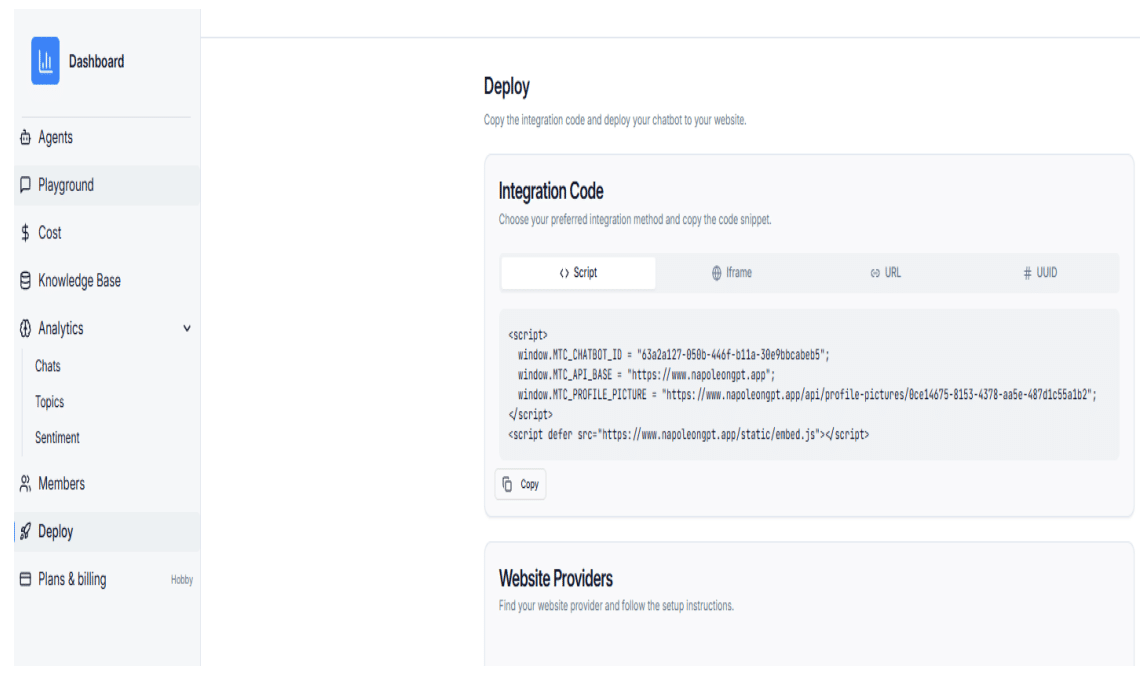
Copy the full embed script from the chatbot Deploy page.
Method 1: Chat Bubble Integration
-
Log in to your Bubble account.
-
On your project card, click the hamburger menu and select Launch Editor.
-
In the editor, open the SEO/Manager tab and navigate to Settings.
-
Scroll to the Script in the Body section and paste the chat bubble script.
-
Save your changes and publish the site to activate the chatbot.
Method 2: Iframe / Conversation Form Integration
-
Switch to Design mode in the Bubble editor.
-
Drag an HTML element onto your page.
-
Paste the inline chatbot iframe code into the HTML element and adjust width and height as needed.
-
Save your changes, publish the site, and test the chatbot to confirm it displays correctly.