
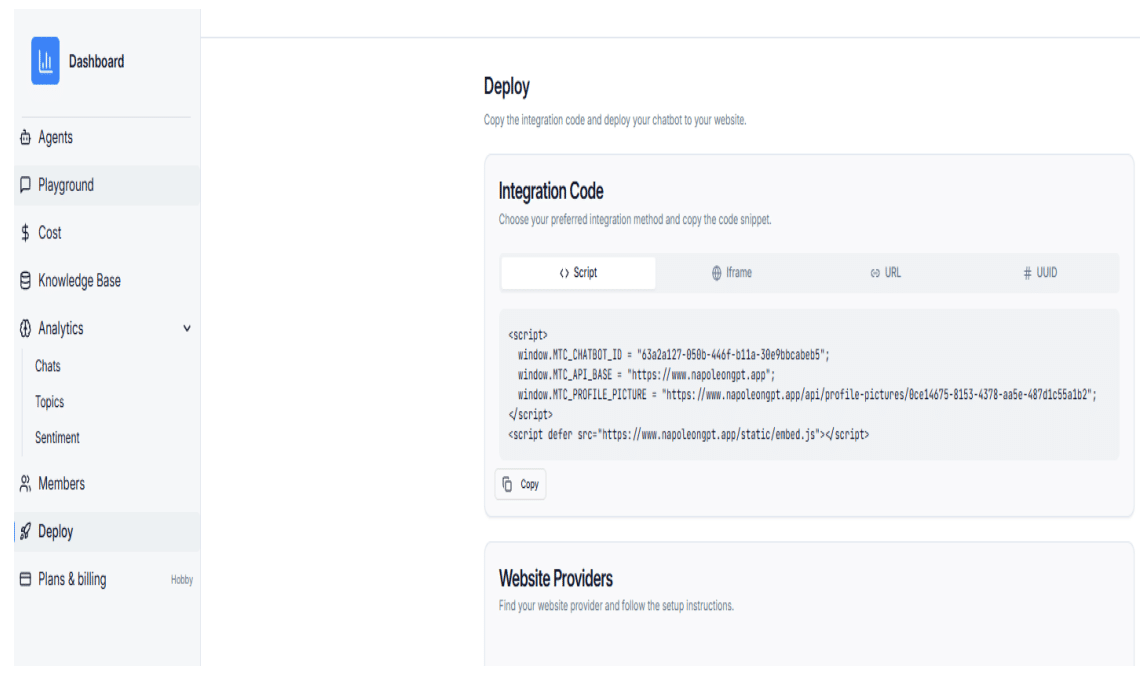
Step 1: Copy the Script from the Deploy Page
Copy the full embed script from the chatbot Deploy page.
Method 1: Chat Bubble Integration
-
Log in to Framer and open your Framer Dashboard.
-
Select the project where you want to add the chatbot.
-
Click the Code icon in the editor to open Custom Code.
-
Paste the embed script into the Footer Code section, just before the closing
</body>tag.
Method 2: Iframe / Conversation Form Integration
-
Drag and drop the Embed block onto your Framer page.
-
Paste the chatbot iframe or conversation form code into the Embed block.