
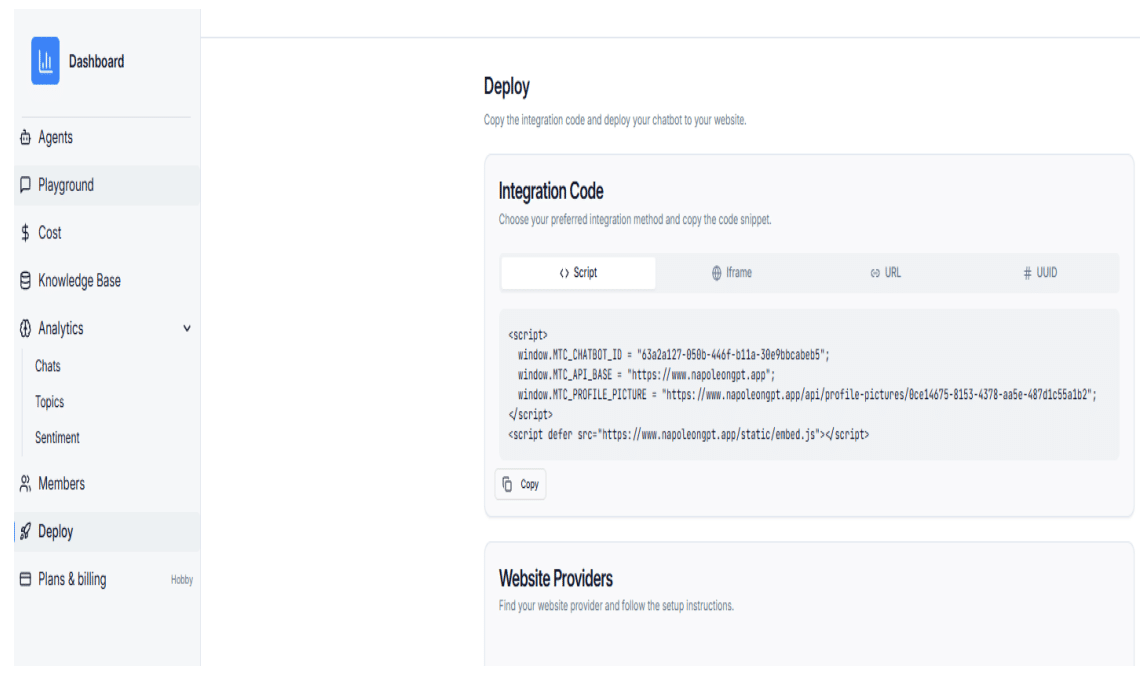
Step 1: Copy the Script from the Deploy Page
Copy the full embed script from the chatbot Deploy page.
Method 1: Using a Header/Footer Plugin
-
Log in to your WordPress admin panel and navigate to Plugins > Add New.
-
Install a plugin such as Insert Headers and Footers.
-
Open the plugin settings (usually found under Settings > Insert Headers and Footers).
-
Paste the embed script and save your changes.
Method 2: Editing Theme Files Directly
-
Go to Appearance > Theme Editor in the WordPress admin panel.
-
Open the footer.php template file.
-
Paste the embed script just before the closing
</body>tag and update the file.